DRISHTI: An On-Device Assistive Navigation System for the Visually Impaired
Hard Hack 2026 · Team of 4
🏆 Winner, Best Healthcare Hack Winner, MLH Best Use of ElevenLabs
Overview
Assistive technology for blind and low-vision users is typically fragmented across separate devices for obstacle detection, text reading and safety monitoring, with little integration between them. Systems that do provide scene understanding generally depend on cloud inference, which requires continuous network connectivity and transmits camera imagery off the device. DRISHTI (Digital Reliable Intelligent Support for The visually Impaired) was developed as a single wearable system in which all perception runs locally on the user's own phone.
The system consists of a Raspberry Pi wearable belt and an Android application. The belt carries a camera and an ultrasonic proximity sensor, while the phone performs inference. A button press on the belt captures a frame and posts it to an HTTP server running inside the Android app, where an on-device vision-language model answers spoken questions about the scene. The same application monitors the phone's inertial sensors for falls and escalates to an emergency contact if the user does not respond. All input and output is through speech, so the system can be operated without looking at a screen.
DRISHTI was built by a team of four at Hard Hack 2026, where it won Best Healthcare Hack and the MLH Best Use of ElevenLabs award.
System Architecture
The architecture places computation on the device the user already carries. The wearable is limited to a camera, a button, a distance sensor and a buzzer, while the phone runs the vision-language model, the face recognition network, the fall detector and the speech layer. This keeps the hardware inexpensive and replaceable, keeps inference local to the phone, and allows the system to degrade gracefully: if the belt is out of battery or out of range, the application falls back to the phone's own camera and sensors and continues to operate.
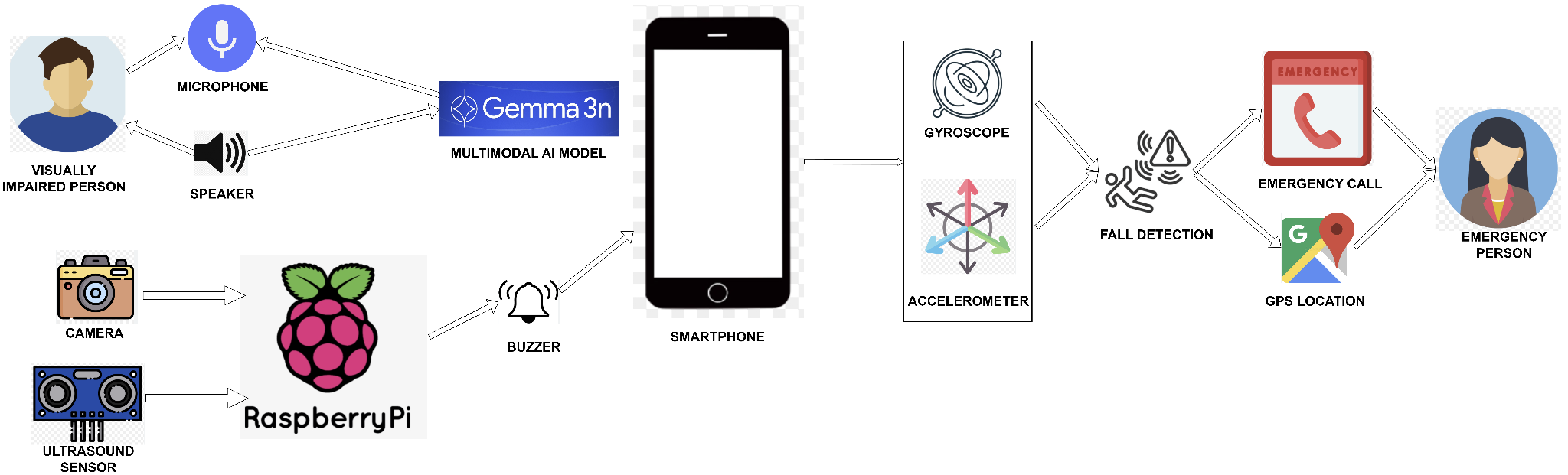
The Android application is organized into four layers. A Jetpack Compose presentation layer handles the interface, a service layer hosts the foreground fall-detection service and an embedded NanoHTTPD server, an inference layer runs the vision-language and face recognition models, and a data layer manages encrypted preferences, location and speech synthesis. Because the HTTP server runs inside the app, the phone acts as the server and the Raspberry Pi as the client, which removes the need for a hosted backend or a user account. The two devices only need to share a local network.
Core Capabilities
On-Device Vision Assistant
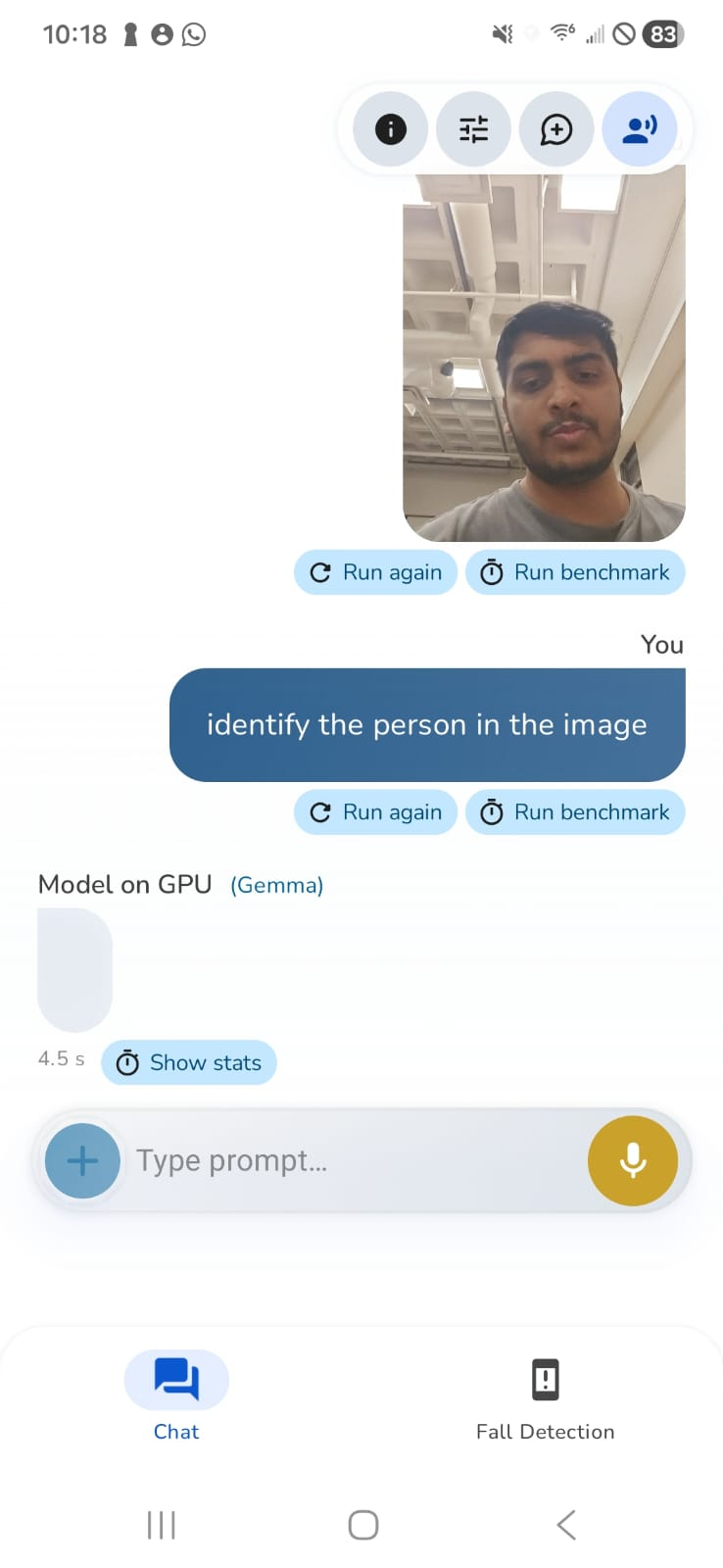
Scene understanding is performed by Google Gemma-3n E2B, a compact vision-language model executed locally through the Android AI Edge runtime with GPU delegate and NNAPI acceleration. The user presses the belt button and asks a question aloud, such as "what is in front of me?" or "read this label", and the model reasons jointly over the captured frame and the spoken query. Responses are streamed into the speech layer as they are generated, so audio playback begins before inference has completed.
Running the model locally removes per-query cost and network round-trip latency, and no captured image leaves the device. Spoken output is rendered using ElevenLabs neural text-to-speech. For a user whose entire interface is audio, the quality of that output directly affects how long the system remains comfortable to use.
Face Recognition via Function Calling
A general vision-language model can report that a person is present but cannot identify them. Rather than exposing a separate mode that the user has to select, DRISHTI provides the model with a tool. The system prompt instructs it to emit a <FUNC> tag when a query concerns identity. The application intercepts the tag, routes the frame into the recognition pipeline and merges the result back into the spoken response, so a question such as "who is in front of me?" invokes face recognition without any explicit mode switch.
The recognition pipeline uses ML Kit for face detection and an ArcFace model running under TensorFlow Lite to produce a 512-dimensional embedding for each detected face. Embeddings are matched by cosine similarity against a local database of registered faces. Recognition is therefore personalized to the people in the user's own life rather than to a fixed index, and the face database, like the models, remains on the phone.
Fall Detection and Emergency Escalation
Falls are a primary safety concern for the target users, and a simple accelerometer threshold produces frequent false positives from ordinary activity such as sitting down heavily or setting the phone on a table. DRISHTI instead looks for an ordered sequence across the accelerometer and gyroscope:
- Free-fall, where total acceleration drops below
8.0 m/s² - Impact, a subsequent spike above
12.0 m/s² - Rotation, angular velocity exceeding
2.0 rad/s - Temporal validation, with the full sequence completing within
200–1000 ms
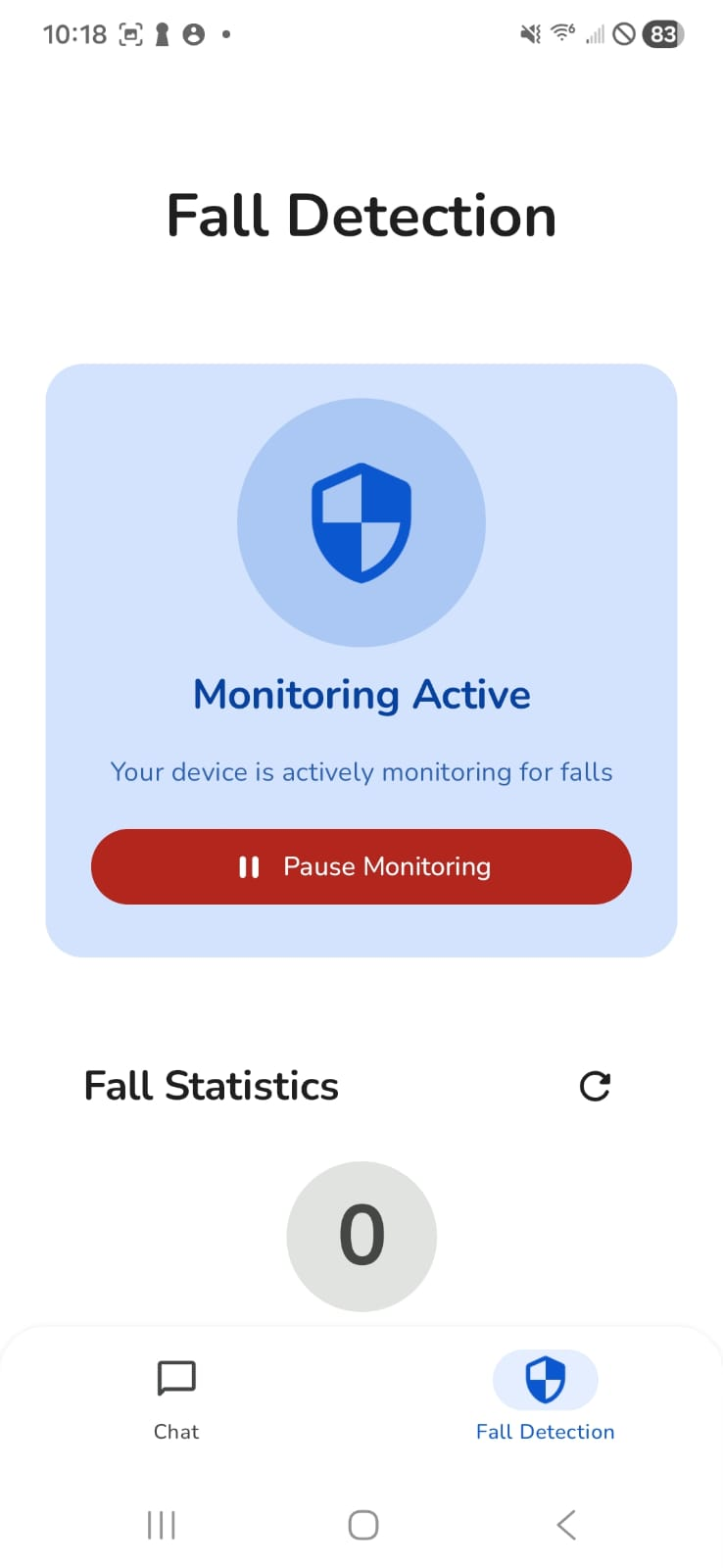
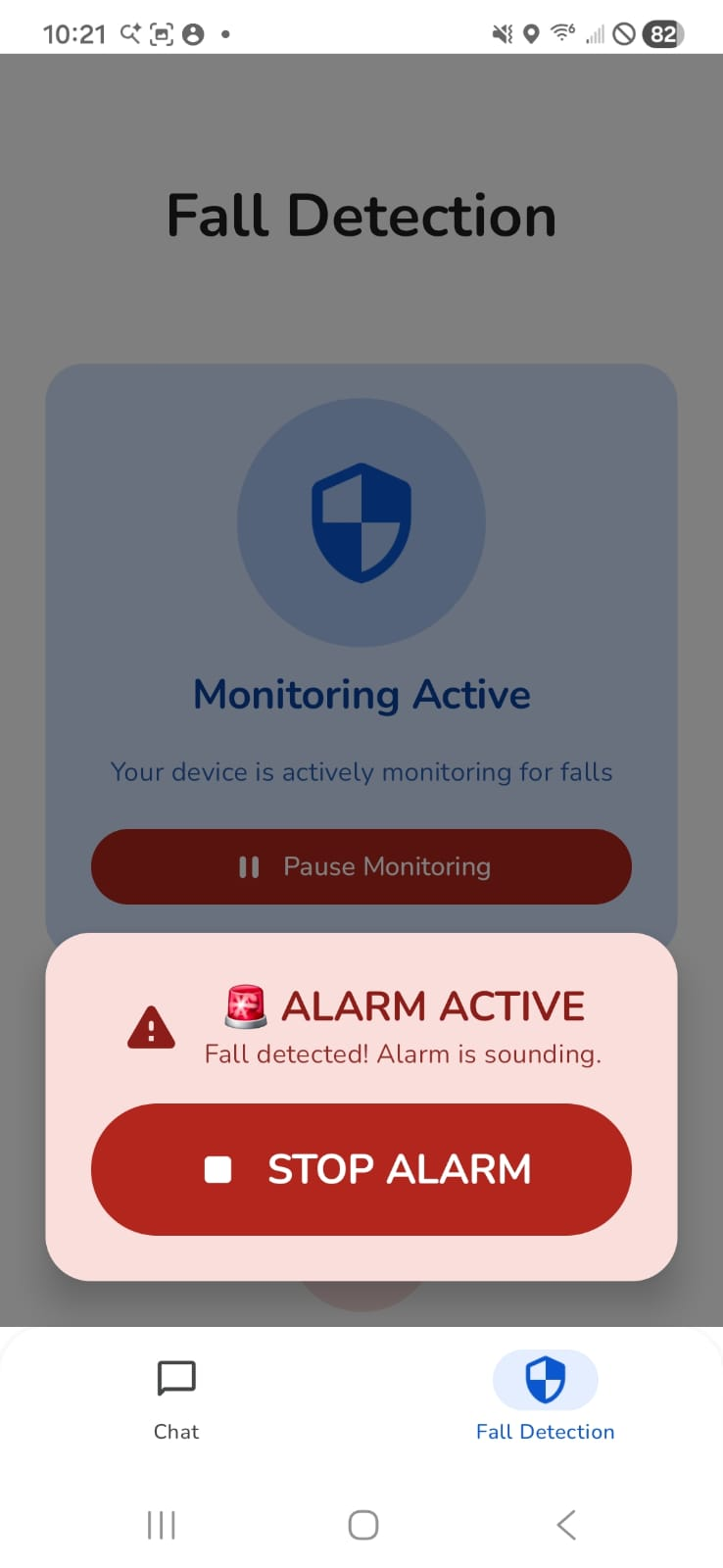
All four conditions must be satisfied for an event to register as a fall, which is what separates a genuine fall from ordinary handling of the device. When the pattern matches, a foreground service raises a full-screen alert with an audible alarm and a 12-second countdown. If the user dismisses it, no further action is taken and a false positive costs twelve seconds. If the countdown expires, the application dials the configured emergency contact and sends an SMS containing the user's GPS coordinates. Escalation is the default behaviour, on the assumption that a user who has fallen may be conscious but unable to reach the phone.
Wearable Hardware
The belt is a Raspberry Pi with three peripherals connected over GPIO. A push button triggers an OpenCV frame capture that is posted to the phone's HTTP server, which places the camera on the body and pointed in the direction the user is facing rather than requiring them to aim a handheld phone at a scene they cannot see. An HC-SR04 ultrasonic sensor runs an independent proximity loop and sounds a buzzer when an obstacle comes within 20 cm. This loop is kept off the phone and outside the model path so that obstacle warnings are immediate and never queue behind an inference.
Designing for Eyes-Free Use
The main design constraint was that the primary user cannot see the interface, so every function has a non-visual equivalent. Capture is triggered by a physical button rather than an on-screen target, queries are spoken rather than typed, all output is synthesized speech, obstacle warnings are audible rather than visual, and the emergency countdown announces itself aloud and can be dismissed by touching anywhere on the screen. Compose components carry content descriptions for screen reader compatibility, and the interaction flow is designed for single-handed use. The Android interface shown below is used mainly for initial setup and by a sighted caregiver; routine operation does not require it.
Technology Stack
Android
On-device ML
Hardware and I/O
Future Work
Several components of the hackathon build remain deliberately simple. Face registration is currently pre-loaded rather than manageable at runtime, and recognition operates on individual frames rather than a live camera stream. The fall detector is rule-based; a learned model trained on recorded fall data would be expected to reduce both false alarms and missed events, and fusing a smartwatch inertial stream would provide a second measurement of the same event. Adding real-time object detection and OCR to the on-device model path would extend the system from answering questions on request towards continuous ambient awareness.
Team
Built at Hard Hack 2026 by Srivatsan Sarvesan, Gokul Adethya, Indresh P and Gayathri Rajesh.